Gomax Core Widgets: Improve the Page Building Experience with Elementor
Gomax Core adds a set of widgets to Elementor so you can build pages without writing code. This guide explains how the widgets are organized and how to add and customize them.
Widget categories
Section titled “Widget categories”Gomax Core widgets are organized into these categories in the Elementor panel:
- Main Blocks
- Global Sections
- Post & Portfolio
- WooCommerce
Adding a widget
Section titled “Adding a widget”Open a page with Elementor to see the widget panel on the right. Find the widget you need and drag it onto the content area.
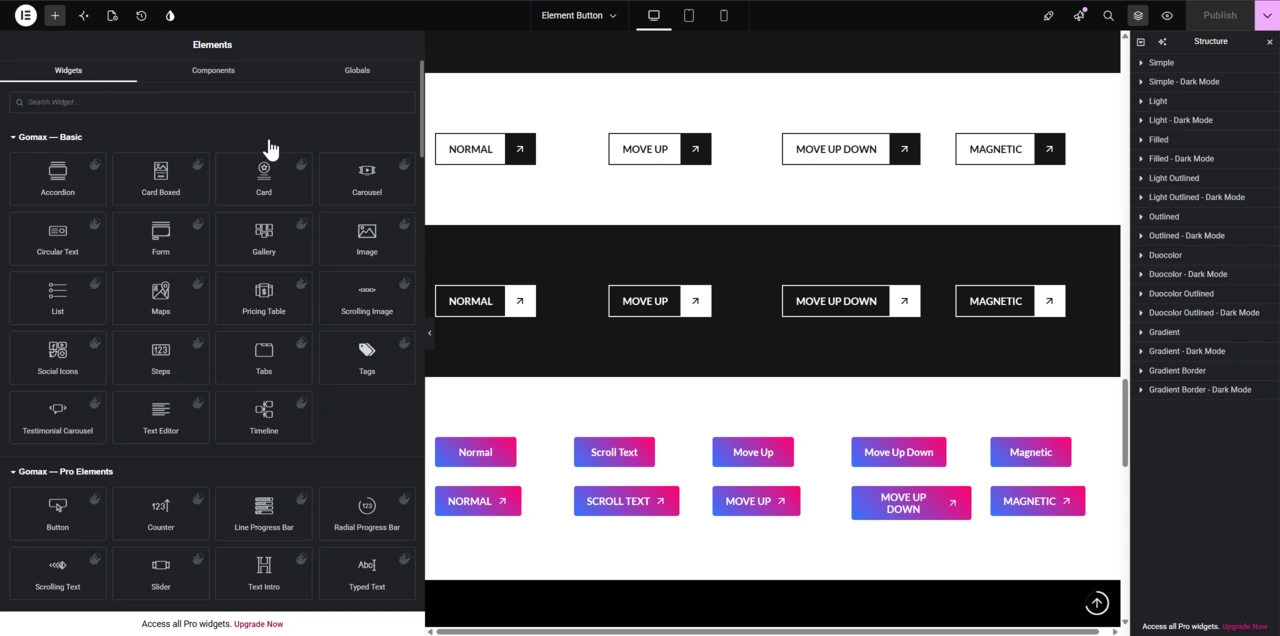
Editing a widget
Section titled “Editing a widget”Click a widget on the page to open its controls. When you add a new widget, its controls open automatically.
Most fields update live: change a text, swap an image, or pick a color, and the page reflects it immediately, before you save.
Related reading: Global Sections: How to add, edit and choose conditions, Mega Menu: How to add, edit and customize, and Important Elementor Settings.